
Bookings straight from your website, with ConSergio and its AI widget
A concierge that can answer questions, check availability and collect the booking request.
ReservationsThe bookings module, on the Plus and Premium plans. See the plans
Add ConSergio to your property's website and let your guests look for the option that best fits their stay right from the chat, in their own language.
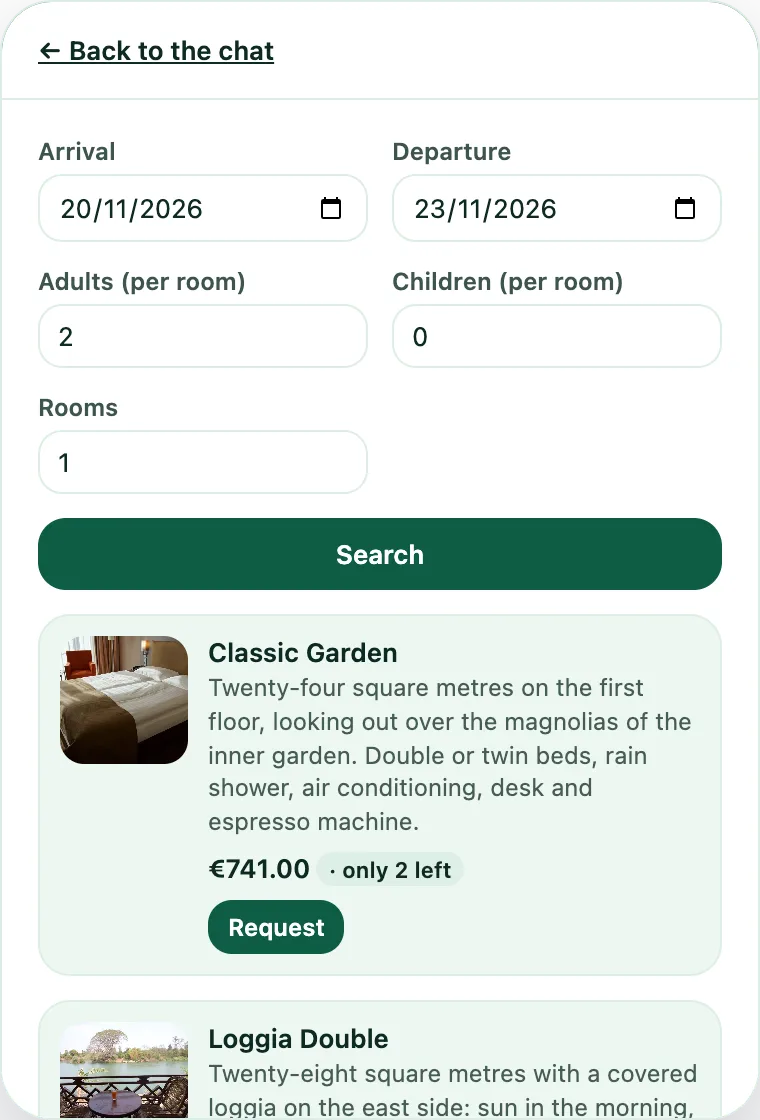
The guest gives dates, number of people and needs. ConSergio connects to Reservations, the bookings module, checks the available rooms in real time and shows the options that fit.
Once they have picked a room, the guest can send the booking request directly, without having to call: a name and an email are enough.
The website widget and Reservations work together
The real advantage is the direct link between the guest's experience and the running of the property.
The chatbot uses the data in Reservations to check availability, and every request collected in the conversation is brought back into ConSergio.
One system to:
- check room availability
- manage arrivals and departures
- collect booking requests
- see bookings on the planner
- keep track of the requests still to confirm
- manage rates, periods and availability
Visitors don't have to dig through pages, calendars and forms. They can simply write what they are looking for and ConSergio guides them through the request.
“Do you have a room for 2 people from 20 to 23 November?”
ConSergio checks availability and walks the guest through to sending the request.
Simpler for the guest. Tidier for the property.
Whoever is done asking taps Book now, picks dates and guests and sees the free rooms with the price of the stay. The request comes to you, and confirming it stays your call.
Good morning! I'm the Hotel Aurora assistant. Ask me about our services, opening hours or the area, or ask me for a room.
Three steps
Point it at your website, and add the rest
It reads the pages by itself. Whatever isn't there you upload to the dashboard, and if you already use the in-room assistant, you have it already.
Paste the line of code
It is a single script tag, the same for every page of the site. It goes in the site template, or in the custom code field that almost every website builder has. If an agency runs your site, this line is all they need.
Choose the look
Light or dark theme, with the colours matched to your site.
How the assistant behaves
Whoever types in the box knows they are talking to an artificial intelligence: the box says so itself, below the conversation.
- Bookings, availability and prices are the ones set by the property. The assistant reads them and reports them in the conversation.
- The answers are generated by an OpenAI model, as with the in-room assistant. How the data is handled is explained on Security and GDPR.
- If the information asked for is neither on the website nor in the documents you uploaded, the answer gives the property's contact details: nothing is made up.
Put it on your website
Before you switch it on, you can watch it at work on Hotel Aurora, a hotel that doesn't exist, from the Demo page.